Bypassing The Optimum/Altice Gateway
A story of ISP gateways, GPON ONU SFP sticks, and taking control of your network
How it started.
I have had AT&T fiber internet for the longest time now. Moved places and have had no issues so far. At my current place I have their XGSPON service, which I gladly bypassed with the WAS-110 SFP+ ONT stick, thanks to the awesome folk on the 8311 discord. I was able to buy the stick on one of their initial group buys, this was before they came out with the firmware. It was a bunch of instructions in a Google doc to configure the SFP stick to masquerade as the BGW-320 gateway. I went through a couple of iterations with the XGSPON stick, initially used a cheap unmanaged switch as a media converter into my router, graduated to a Ubiquiti UDM Pro and now finally it resides in my UCG Fiber
But Lately AT&T prices have been ridiculous, even for long time customers. I pay close to $60 a month for 300 Mbps. My only other alternative was Optimum, who had some great deals, although with not so much a stellar reputation. Also, from what I could gather from the 8311 discord, there wasn't a way to bypass their gateway, yet. I figured; worst case I would just use their gateway in bridge mode.
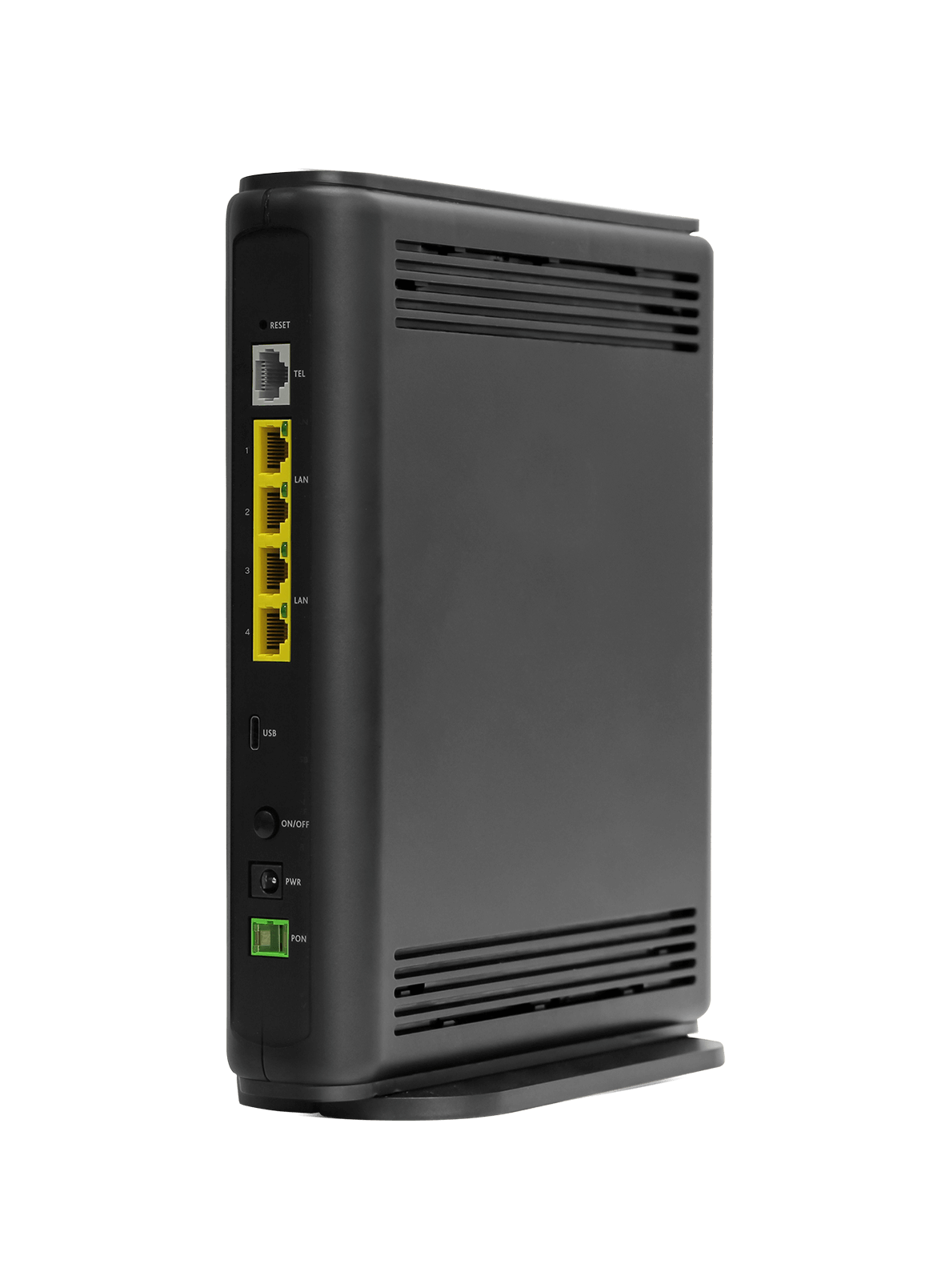
Not a great start
I soon realized that their gateway was so limited. For any changes you want to make (LAN Network, WiFi SSID), you would have to go through their website. Even to have access to those settings, you would need to call/chat with support. Again for bridge mode, you guessed it, support.
Every time I tried to change the settings, I would be greeted with 'A sorry we can't access your router settings' message. Unfortunately, they couldn't enable access to the settings or put me in bridge mode because my account was not associated to their gateway properly and I would have to wait until it was resolved.
Need to up the game
It was time to take matters into my own hands...
Looking at the GR140DG gateway specs, I realized it had a pretty standard GPON ONT with 2.5G down and 1.25G up bitrate, 1310nm-TX/1490nm-RX optical wavelenghts, with a SC/APC interface
I scoured the 8311 discord and thanks to one of the posters that had uploaded a dump of the GR140DG boot log, I was able to get quite some hints.
- I could get the PLOAM password and the GPON serial number format
- I realized that even though it had VEIP and TR069 provisioning ability, they seemed to be not working.
Also looked at a couple of Youtube videos to determine the best programmable GPON SFP ONU stick that matched the Altice ONT specs and zeroed in on the ODI/HSGQ DFP-34X-2C3 stick from AliExpress (about $50 shipped). Also reference the hack-gpon website. At that price I figured there was not much to lose
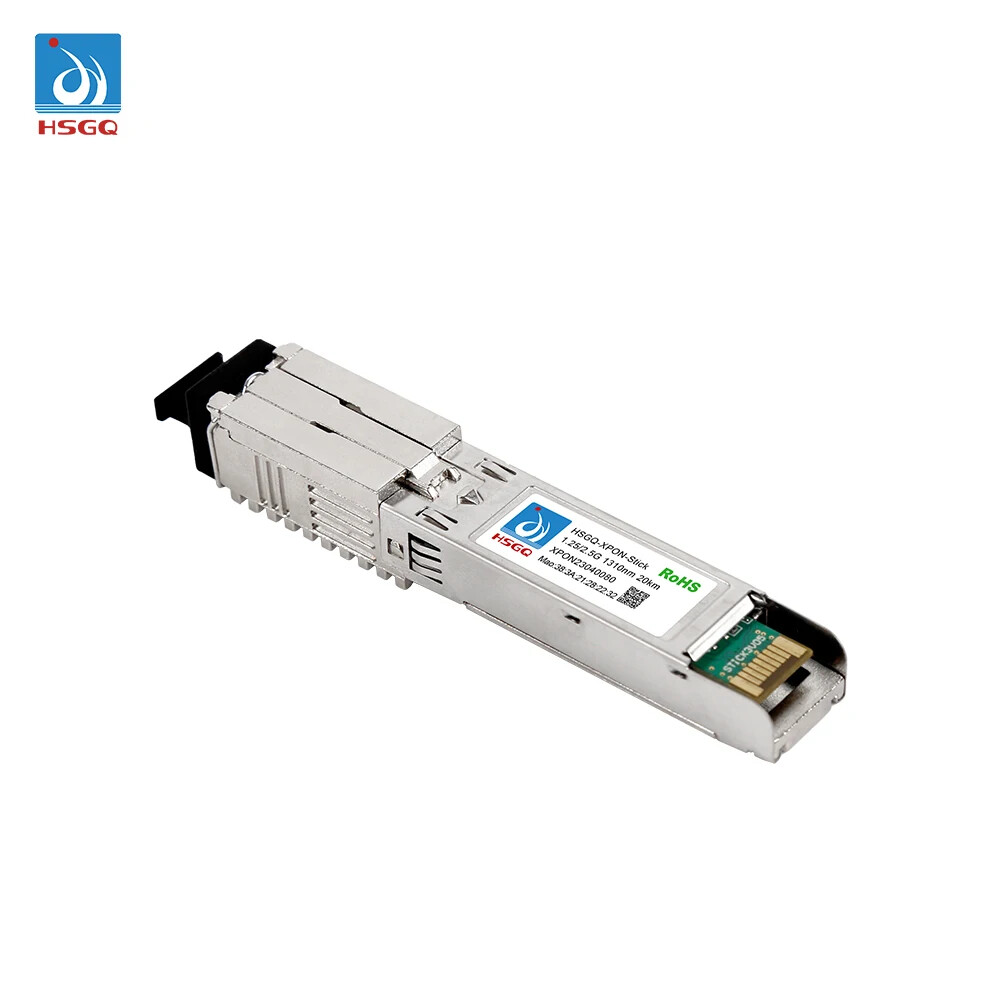
Get cracking
Pre-req, you are on a GPON service and have any of the Altice gateway variants of GR140DG, like GR140IG/GR141IG or GR240 variants
You bought the ODI/HSGQ DFP-34X-2C3 ONU SFP, which is a programmable SFP, commonly available on AliExpress for about $50. It has a web interface to change some basic settings and a telnet/ssh interface to login and change advanced settings. It does not need an active fiber connection to change the settings.
Let's gather everything we need.
- The ODI/HSGQ GPON SFP stick
- A media converter or an unmanaged switch with an SFP port, to make changes to the GPON. You can use your router with SFP port directly, but a media converter makes it much easier
- A trusty laptop to connect to the stick with a LAN cable to configure it
- The Altice gateway to gather the GPON serial number and MAC address on the label at the bottom
-
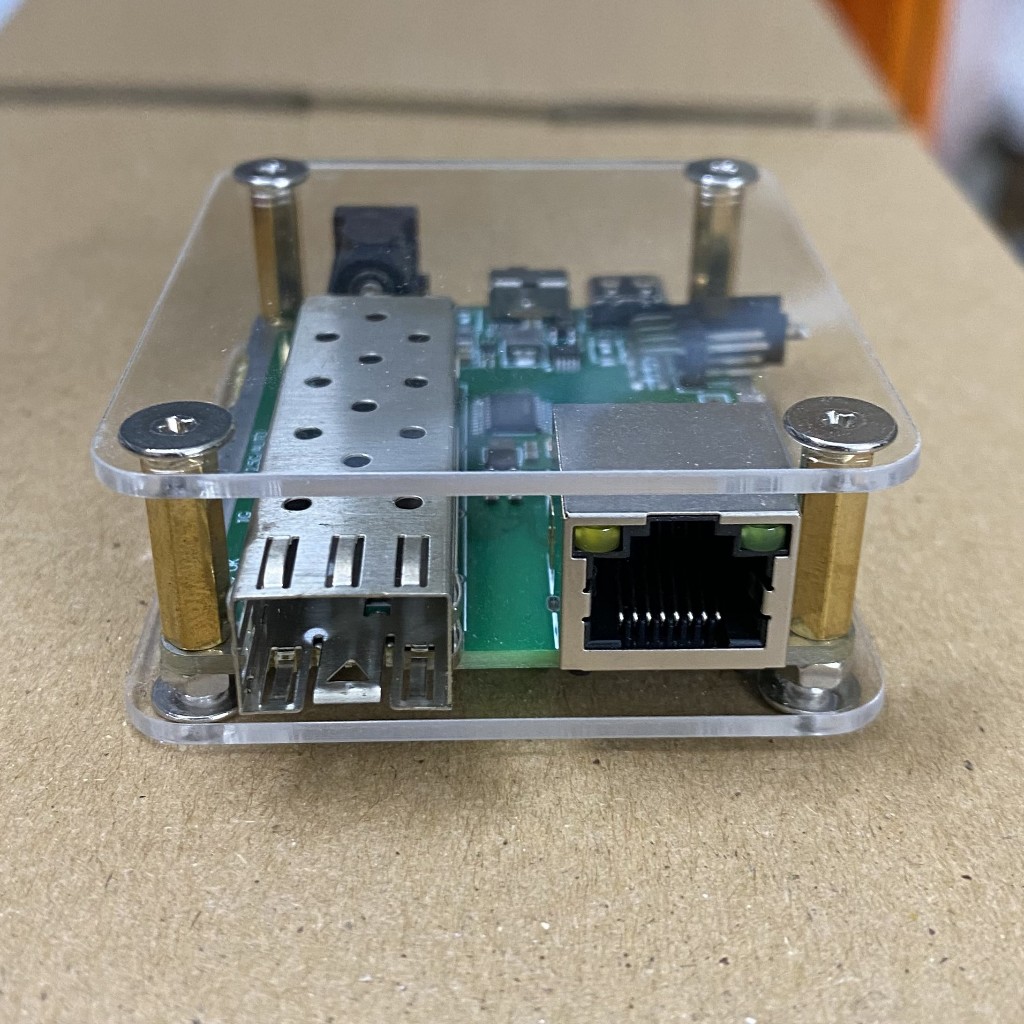
Juplink 2.5G media converter
Connect to the stick
- The WebUI for the GPON can accessed at http://192.168.1.1. Plug it into the media converter. Connect the laptop to the lan port. The laptop/client has to be on same network subnet, for ex: 192.168.1.3. Credentials for the web interface are
- Username: admin
Password: admin - You can change the lan network config to a different subnet like 192.168.12.0/24, so as to avoid conflict with your lan
- Telnet is at the same 192.168.1.1 address (or whatever you have changed it to), same credentials as the WebUI
Gather details from the sticker at the bottom of the gateway.
- The MAC address, you will need to clone this on the WAN of your router
- The Serial number, shown as S/N, this will be configured on the GPON stick
- The stick only accepts 12 characters for the GPON serial number, the one on the gateway is 16, so I was stuck for a bit. But found out that the first 8 characters (5054494E) are actually in hex and stand for the ONU vendor id. They should be converted to ascii as PTIN. So if the serial number on your gateway is 5054494E2012133F, you will be using it as PTIN2012133F
- The PLOAM password, this is not on the gateway, I got it from the 8311 discord, it is 10 spaces in ascii or 10 20s in HEX 20202020202020202020
-
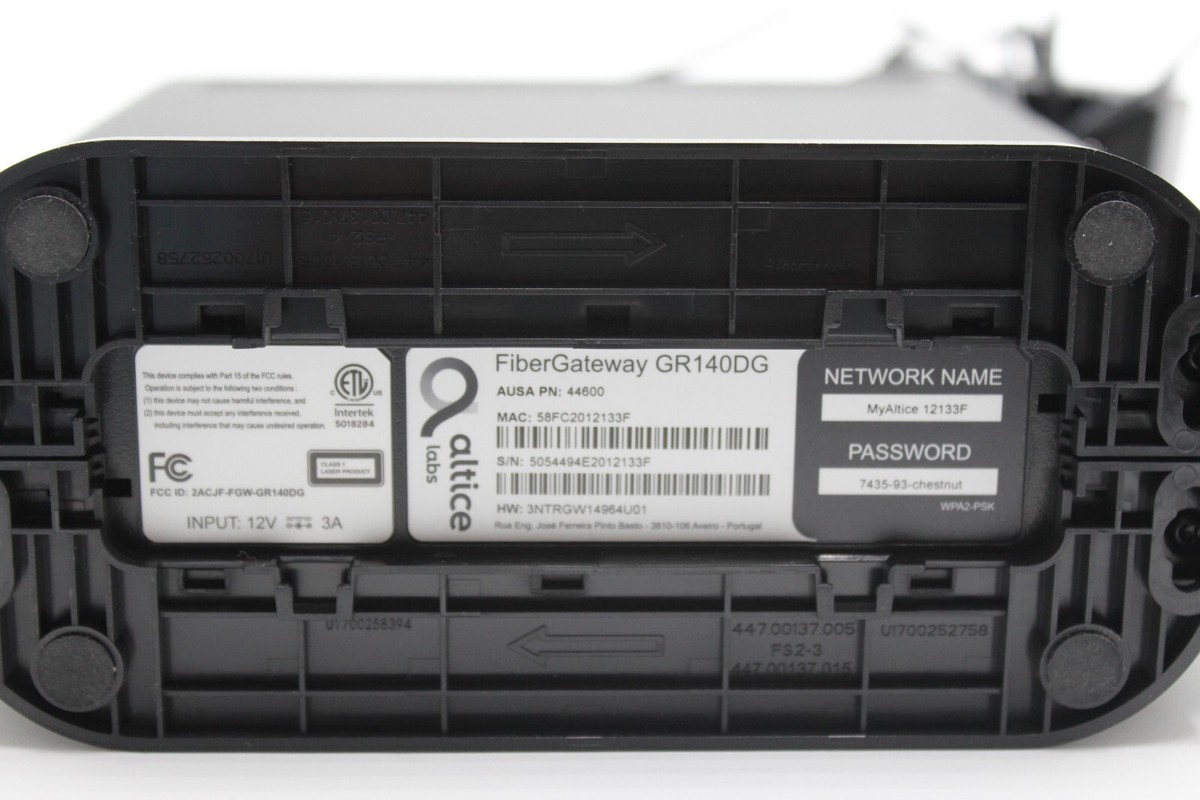
Gateway bottom sticker
Configure the GPON stick and your router
- In the WebUI navigate to WAN config and remove the bridge to LAN setting, this might not be needed, since we will be setting the stick in bridge mode
-
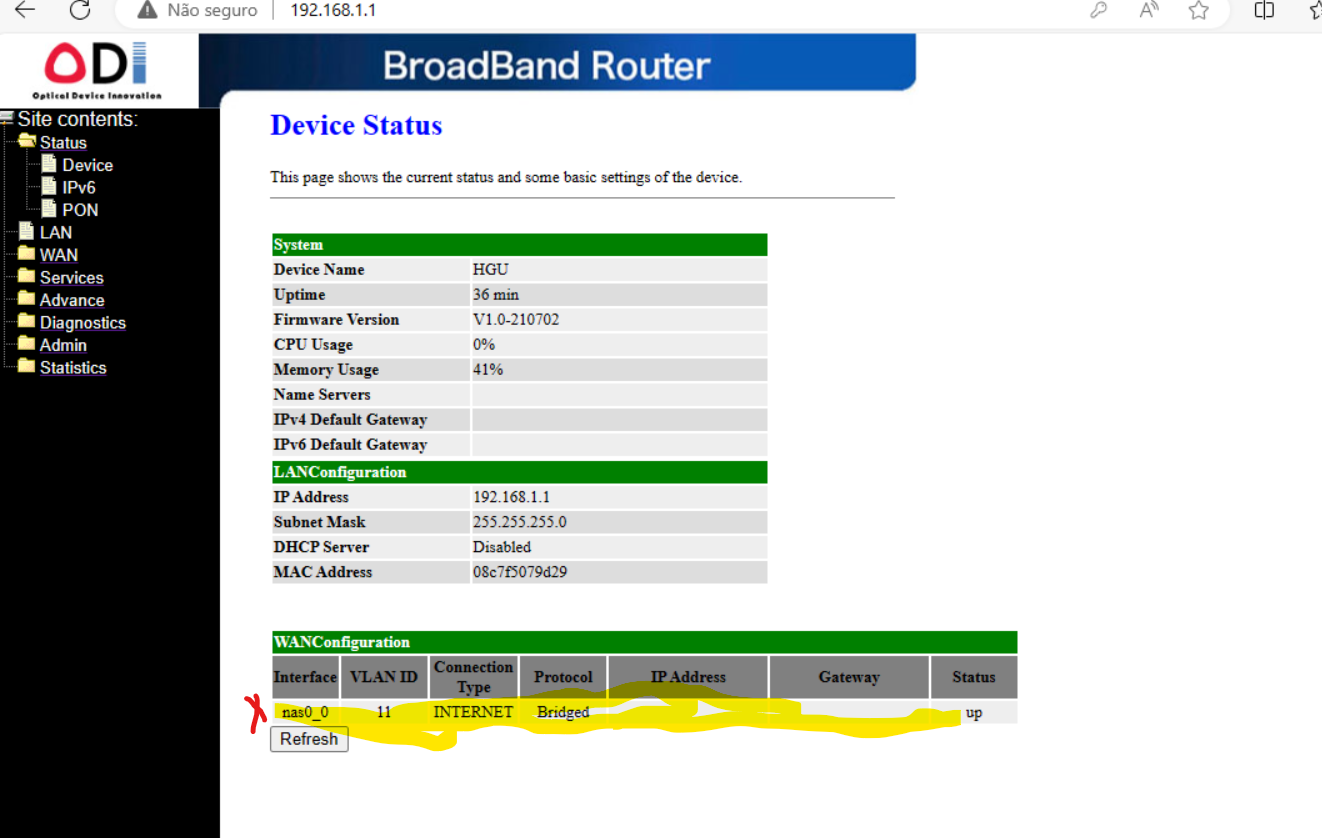
ODI WAN config - Now telnet to the stick and flash it with following settings at the command prompt, without the text in parentheses. do not forget reboot at the end to commit the changes
flash set GPON_PLOAM_FORMAT 1 (HEX) flash set GPON_PLOAM_PASSWD 20202020202020202020 flash set VLAN_CFG_TYPE 1 (equivalent to VLAN transparent mode) flash set VLAN_MANU_MODE 0 (equivalent to VLAN transparent mode) flash set OMCI_FAKE_OK 1 (Send fake responses to the ONU) flash set GPON_SN PTIN2012133F (from your gateway) flash set DEVICE_TYPE 0 (puts the stick in bridge mode, important if you are cloning the gateway MAC on your router) flash set PON_VENDOR_ID PTIN reboot- Now check the WebUI PON status > GPON Status > PON state, should show O5, which is a successful connection
-
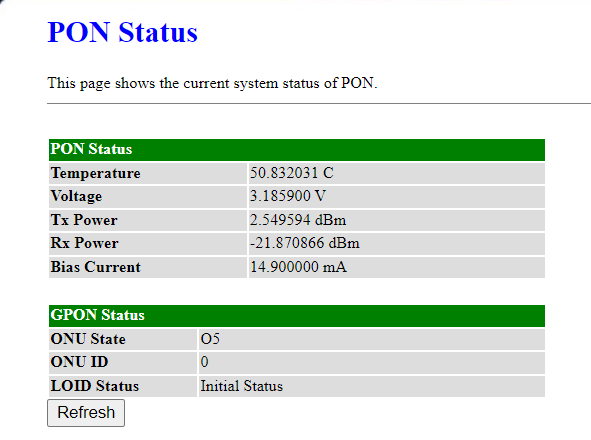
ODI PON status page - Get back to your telnet session, you need to get the VLAN ID to configure on your router WAN
- Execute
you should see something likeomcicli mib get 84 -
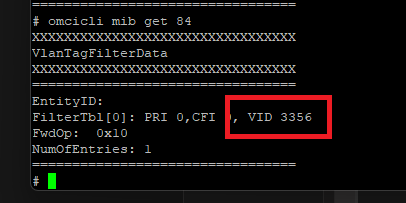
OMCICLI VLAN table - The number next to VID, is your VLAN ID, should mostly be 12, but can vary based on market
- If you do not get the VLAN table when you execute omcicli mib get 84, you may have to disconnect your laptop and connect your router with the MAC cloned to the gateway MAC address for some time. Then disconnect the router and reconnect your laptop, telnet and execute the omcicli command again
- Once you have successful VLAN, go to your router, clone the WAN MAC, if not already done. Set VLAN ID as whatever you get from the step above, do not enable QoS tag, I was getting very bad upload speeds with that enabled.
-
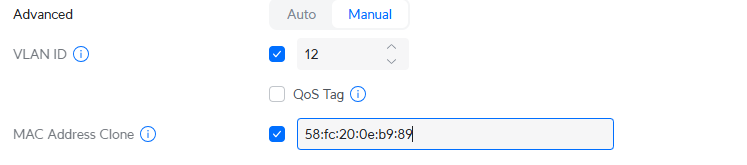
Router VLAN and MAC clone - Enjoy your freedom from shackles!
-
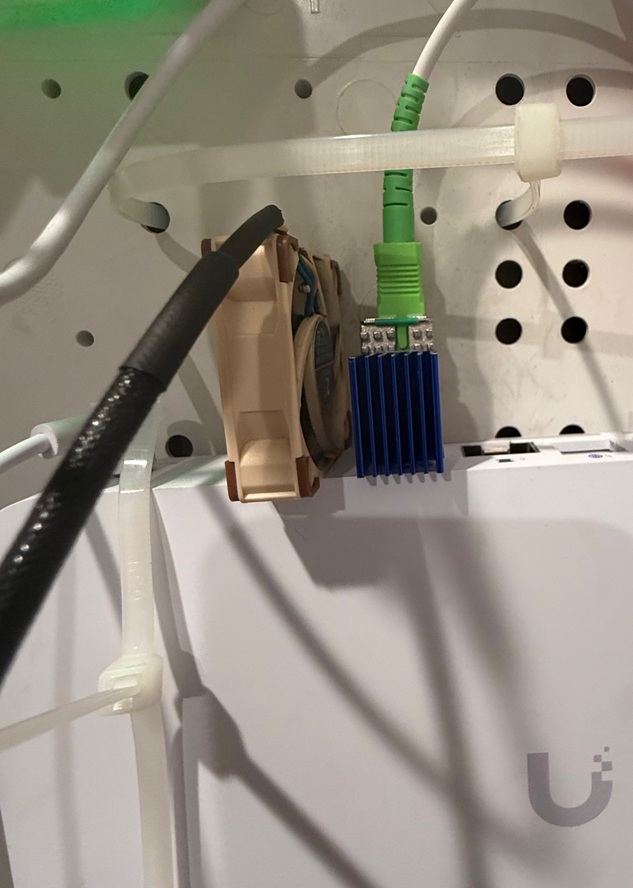
SFP stick in UCG Fiber - Parting notes: You can't access the WebUI when GPON is in bridge mode, will have to look into it. This guide should work for other GPON CPE variants like GR240 series etc. The GPON does get hot, you can add a small cooling fan to keep it cool